A hands-on AI workshop for your team, in one morning
Up to 12 people, each on their own laptop, using the AI tool your business pays for on tasks from their own jobs. They leave knowing how to ask, how to check the answer, and what never to type in.
- Price, excluding VAT€750per group of up to 12
- How long3.5 hours
- Who and how manyUp to 12 people, each on their own laptop
- WhereYour premises in Cork or Munster, or online
- UCC
- Tyndall National Institute
- Skillnet
- DNG
Short answer
Short answer: A 3.5-hour hands-on AI workshop for up to 12 people, at your premises in Cork or Munster or online, for a fixed €750 ex VAT. Each person works on their own tasks in the AI tool your business uses, then you get a written follow-up and a check-in after 30 days.
What your team can do afterwards
Before the half day
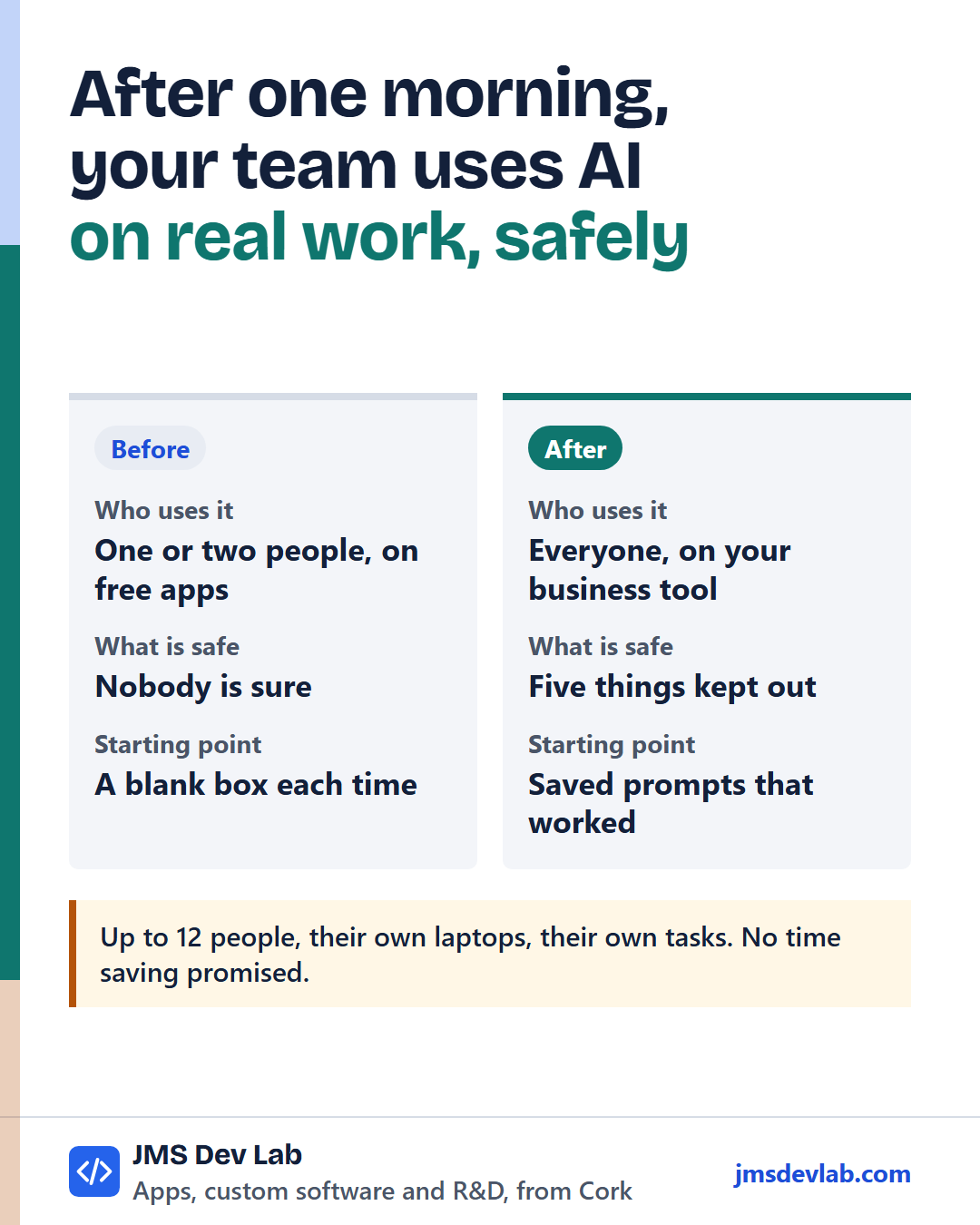
- One or two people use AI, on their own, often on free personal apps
- Nobody is sure what is safe to type in
- Each request starts from a blank box
- Drafts go out without a proper check
After the half day
- Everyone has used your business AI tool on a task from their own job
- Everyone knows the five things never to paste into it
- Each person keeps a few prompts that worked, ready to reuse
- A simple check before anything leaves the building: facts, names, tone
What people practise on the day. At 30 days we check in writing what has stuck, and help with anything that hasn’t.
How the half day runs
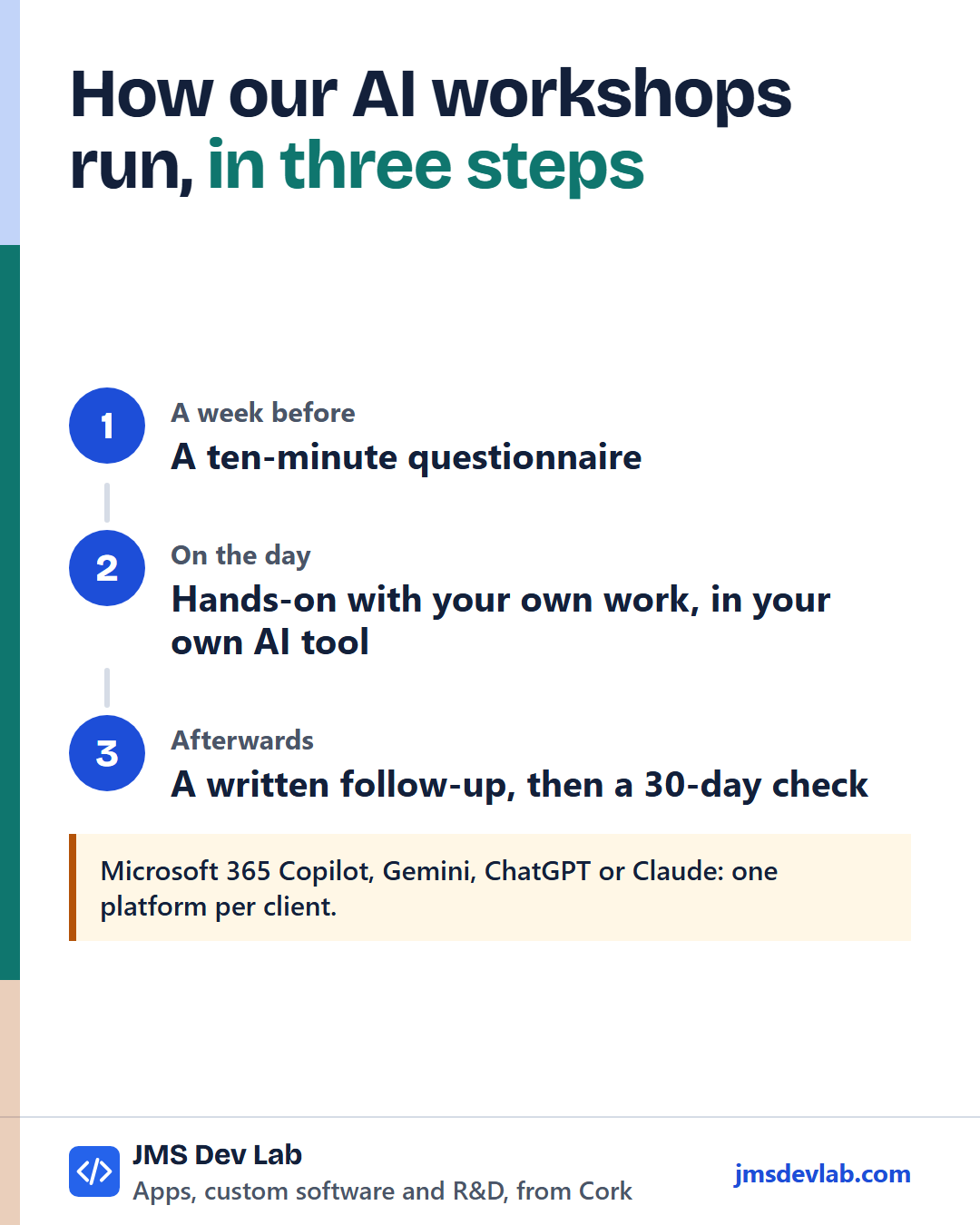
- A week before
Short questionnaire
Ten minutes, in writing: who uses AI now, which tool you pay for, and three tasks each person would like help with.
- On the day
Hands-on with your own work
Each person on their own laptop, in your AI tool, working on their own tasks. Short demonstrations, mostly practice.
- Afterwards
Written follow-up and a 30-day check
Within five working days: the prompts that worked, the safe-use rules and answers to open questions. After 30 days, a short written check on what stuck.
The morning, roughly
Safe use first
What stays out of AI tools, and the data settings on your business plan.
Asking well
Write a clear request, give it the context it needs, and improve the answer in two or three goes.
Your own tasks
Each person works on the tasks they named in the questionnaire: emails, summaries, descriptions, plans.
Checking before it goes out
Facts, names, figures and tone: a short routine for anything that leaves the building.
Keep what worked
Each person saves the prompts that worked, ready for the next morning.
What is included
- The short questionnaire and a plan for your group
- Exercises and handouts, yours to keep
- Training on your own AI tool and business account: Microsoft 365 Copilot, Google Gemini, ChatGPT or Claude, one platform per client
- The safe-use card for every person
- A written follow-up within five working days and a written check after 30 days
Who it suits
Teams new to AI, or teams where a few people use free apps and nobody is sure what is allowed. No technical background needed. For exercises built from your own documents and split by role, see the full day.
The card every person takes away
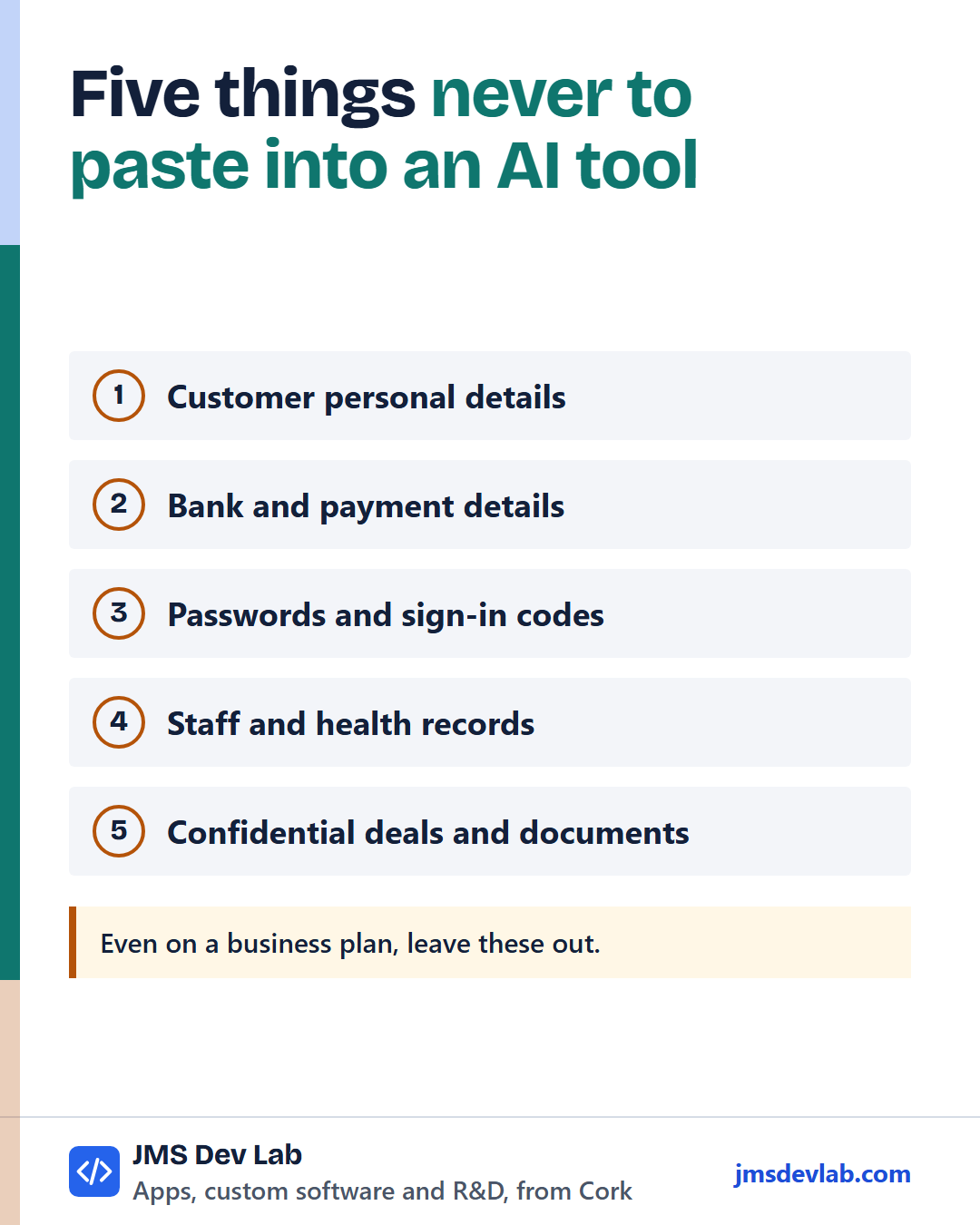
Five things never to paste into an AI tool
- Customer personal detailsNames with addresses, phone numbers, dates of birth, PPS numbers or ID documents.
- Bank and payment detailsCard numbers, IBANs, account statements or anything used to pay or get paid.
- Passwords and sign-in codesLogins, PINs, recovery codes or access keys, even “just to check”.
- Staff and health recordsHR files, absence or medical notes, pay details or disciplinary records.
- Confidential deals and documentsContracts, offers, prices or files you have agreed to keep private.
Use a business plan, not a free personal app, and check its data settings. Even then, leave these out or remove them first. This card is general guidance, not legal advice.
Questions about the half-day workshop
What does the half-day AI workshop cost?
€750 for a group of up to 12 people, excluding VAT. That includes the short questionnaire beforehand, the session, the written follow-up and the 30-day check. Travel outside Cork city and county is quoted separately.
What will my team be able to do afterwards?
Write a clear request to the AI tool and refine the answer, use it on real tasks from their own job, check facts and tone before anything goes out, and know what never to paste into it. At 30 days we check in writing what stuck.
How many people can attend?
Up to 12, each on their own laptop. The price is the same for 3 people or 12. For bigger teams we run a second session, or a talk for everyone plus a hands-on session for a smaller group.
Do staff need any experience with AI?
No. The questionnaire tells us who is new and who already uses AI, and the exercises are set at both levels.
Which AI tool do we need?
A business plan of Microsoft 365 Copilot, Google Gemini, ChatGPT or Claude. If you have not chosen one, we tell you in writing which fits the tools you already use before the session.
Can it be done online?
Yes, at the same price, on a video call with each person at their own computer.
Book a half day for your team
Tell us how many people, which AI tool you use, and two or three tasks you would like them to get better at.
We reply in writing within one working day with a plan, possible dates and a fixed quote. The training itself is live, in your room or online; everything before and after it is in writing.
Please leave out passwords and customer records.
Other ways we train
AI for each role: full-day workshop
€1,250 per group of up to 12
A full day (about 6 hours of training, with breaks)
AI set-up for a small office
€3,000 for an office of 2 to 5 people
5 days of our time, spread over 4 weeks
AI talk for a business network or event
€400 per talk, any audience size
45 to 60 minutes, plus questions