
ThemeSweep
Find and safely remove code left behind by uninstalled apps, with a backup and one-click rollback.
For: Shopify stores that have installed and removed apps over the years.
Free plan, then from $9.99/month.
What it does
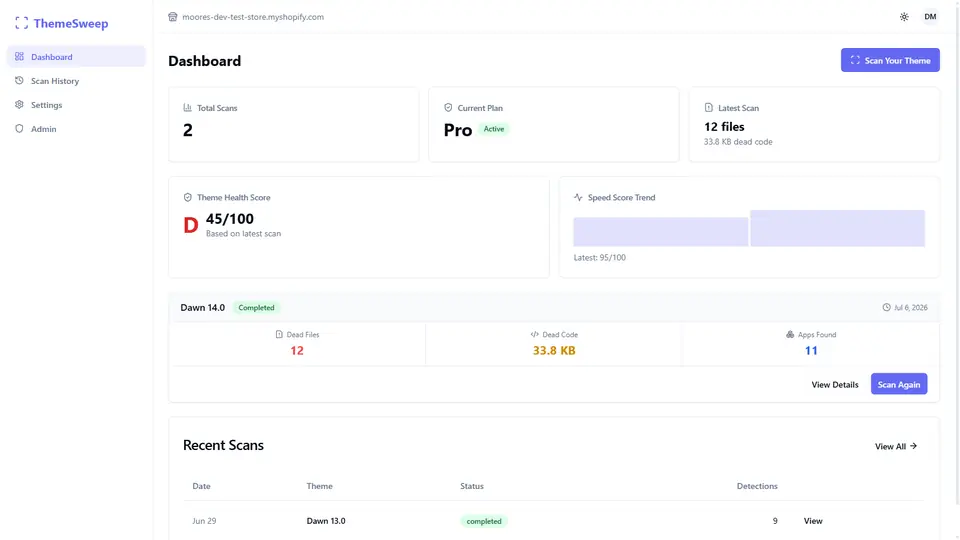
When you uninstall an app it often leaves code behind in your theme. ThemeSweep scans your active theme, finds that leftover code and shows which app it probably came from. You review the report first; nothing changes without your approval. Remove it on a duplicated theme with a full backup and one-click rollback, or comment it out instead.
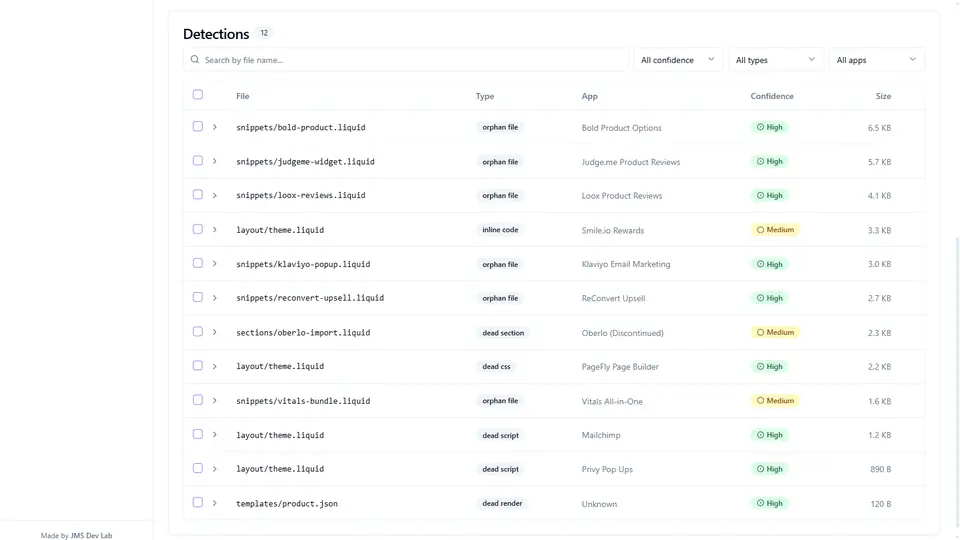
- Finds leftover JavaScript, CSS, Liquid and orphan files from uninstalled apps
- Shows the evidence for each finding before anything changes
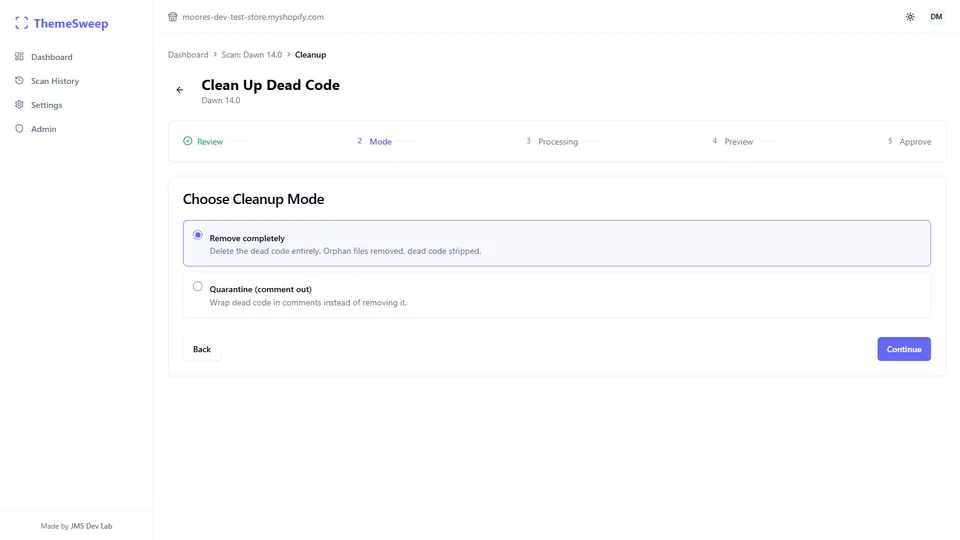
- Cleans up on a duplicate theme, with a full backup first
- Roll back to the pre-cleanup theme in one click
Screens
Plans and prices
| Plan | Monthly | Yearly | Notes |
|---|---|---|---|
| Free | Free | – | |
| Starter | $9.99/month | – | |
| Pro | $19.99/month | – | |
| Agency | $39.99/month | – |
Prices in US dollars as shown on the Shopify App Store listing on 30 October 2026. Billed by Shopify; the listing is always the latest price.
Questions about ThemeSweep
Does ThemeSweep have a free plan?
Yes. ThemeSweep has a free plan on its Shopify App Store listing. Paid plans start at $9.99 a month.
How is ThemeSweep billed?
Through Shopify, in US dollars, monthly or yearly where the listing offers a yearly price. You can cancel from your Shopify admin.
Who makes ThemeSweep?
JMS Dev Lab, a small software company in Cork, Ireland. It is listed as the developer on the Shopify App Store.
How do I get help with ThemeSweep?
Email [email protected]. We reply within one working day.
More apps for Shopify stores


Need something none of these do? We also write software to order.